
Top 6 Screen Recorders for Low-End PCs
Recording lagging on a basic computer? Try the best screen recorder for low-end PCs, such as MiniTool Screen Recorder, Game Bar, Fraps, ScreenRec, and Bandicam.
By Cora
Recording lagging on a basic computer? Try the best screen recorder for low-end PCs, such as MiniTool Screen Recorder, Game Bar, Fraps, ScreenRec, and Bandicam.
Looking for a CamStudio alternative? Check out our top picks, such as MiniTool Screen Recorder, OBS Studio, and Xbox Game Bar, to record your screen smoothly.
Can you record on Peacock? There's no built-in feature, but you can use a third-party screen recorder like MiniTool Screen Recorder to save shows for later.
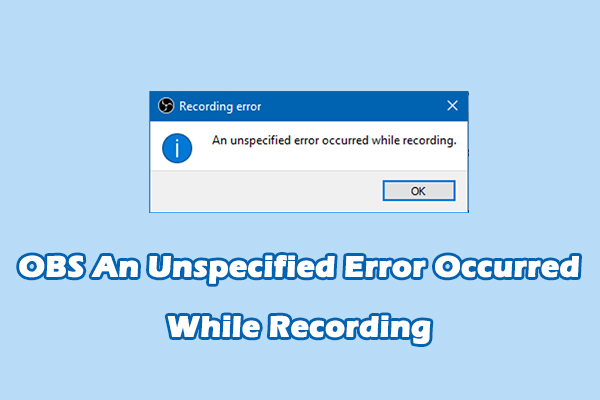
Easily fix OBS “An unspecified error occurred while recording” by a simple restart, changing recording settings, or temporarily disabling the graphics driver.
Discover how to easily record audio from computers with MiniTool Screen Recorder and Windows 11’s Sound Recorder. Effortlessly capture high-quality sound.
Where does OBS save recordings? Check the Videos folder first. This post also shows you how to find your OBS recordings and change the default location.
Learn how to convert Betamax to digital by DIY with a computer and explore professional digitizing services that will convert your tapes for a fee.
Learn how to record 3DS gameplay using a capture card and a desktop screen recorder – MiniTool Screen Recorder. Or, use a phone or camera to capture 3DS games.
Learn how to convert old Webex recordings to MP4 with the official converter. Easily turn your old ARF recordings into MP4 for easier sharing and editing.
Learn how to record Google Meet with the native feature and powerful third-party tools like MiniTool Screen Recorder. Easily capture important meetings!
Learn how to record audio from websites using MiniTool Screen Recorder, Audacity, and Windows 11’s Sound Recorder. Easily save audio and music from browser tabs.
Learn how to convert cassette to MP3 using MiniTool Screen Recorder on your PC. Explore standalone USB converters to digitize your old cassette tapes.
![How to Record 3DS Gameplay Without a Capture Card [Solved]](https://images.minitool.com/recorder.minitool.com/images/uploads/2026/01/how-to-record-3ds-gameplay-thumbnail.jpg)
![How to Convert Webex Old Recordings to MP4 Easily [5 Steps]](https://images.minitool.com/recorder.minitool.com/images/uploads/2026/01/convert-webex-recording-to-mp4-thumbnail.jpg)
![How to Record Google Meet Sessions on Windows [2 Methods]](https://images.minitool.com/recorder.minitool.com/images/uploads/2026/01/how-to-record-google-meet-thumbnail.jpg)
![How to Record Audio from Websites on Windows [3 Simple Methods]](https://images.minitool.com/recorder.minitool.com/images/uploads/2026/01/record-audio-from-website-thumbnail.jpg)