

CamStudio is a free, desktop screen recorder for Windows that captures screen activity and audio. In the early days of screencasting, it was always the first choice for me to create video tutorials or record gameplay.
Today, the booming screen recording software market offers users more choices. If you’re also looking for a CamStudio alternative but don’t know which one to choose, please check out the following curated list.
1. MiniTool Screen Recorder
MiniTool Screen Recorder is a dedicated and easy-to-use screen recording application designed specifically for Windows users. Whether you are a beginner needing a simple tool or a content creator producing tutorials, this software provides a comprehensive solution for recording your screen activity. Undoubtedly, it’s an excellent alternative to CamStudio.
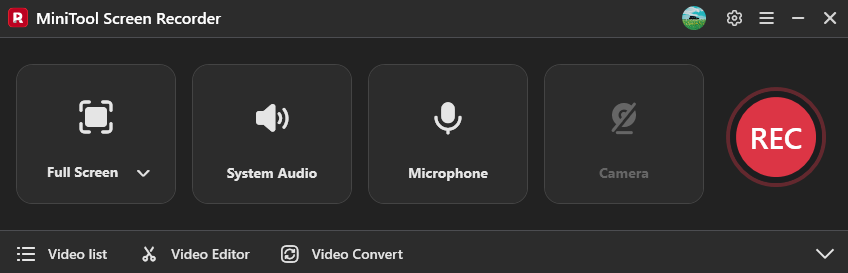
First, MiniTool Screen Recorder stands out for its flexible recording area. Whether I want to capture the entire desktop, a specific window, or a selected region, the software gives me the corresponding menu. It also allows me to capture system audio and microphone input while recording.
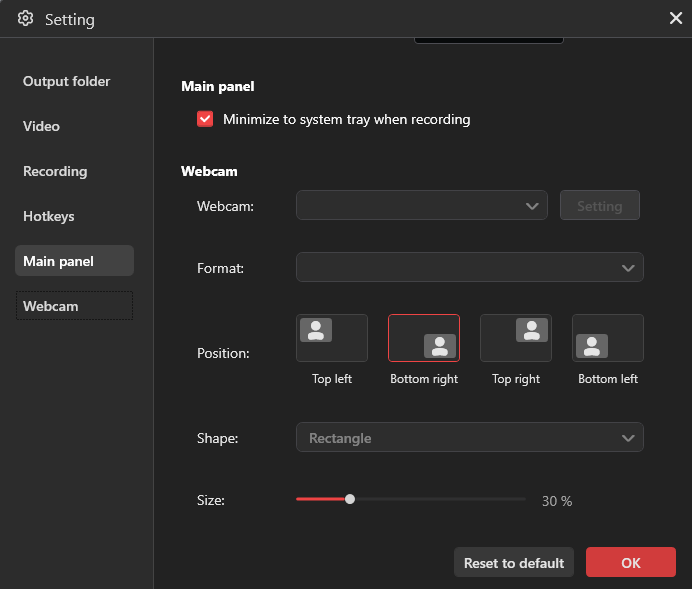
Besides, MiniTool Screen Recorder also serves as a webcam recorder, allowing me to record myself independently or simultaneously while capturing my screen. It also lets me select the camera’s resolution, position, shape, and size. This feature makes it an ideal tool for creating tutorials, presentations, and demonstrations.
Furthermore, MiniTool Screen Recorder offers extensive annotation tools. Whether I need to draw on the screen, add shapes or arrows to highlight something, add text, step numbers, or a whiteboard, the software has me covered.
Additionally, MiniTool Screen Recorder can record at up to 4K resolution and allows me to select the video frame rate and quality, ensuring high-quality results. It saves recording in the MP4 format, which produces a small file size and is easy to share and edit. Best of, the software doesn’t have recording time limits or watermarks.
Explore MiniTool Screen Recorder now and record your screen effortlessly.
MiniTool Screen RecorderClick to Download100%Clean & Safe
2. Snipping Tool
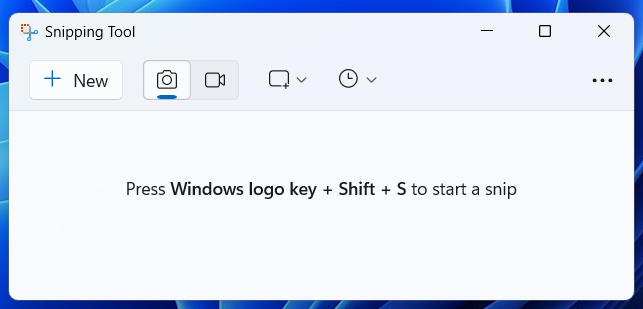
I’m running Windows 11, so I often use the Snipping Tool for a quick screen recording. The biggest advantage is that the tool comes preinstalled on the system. Therefore, I don’t spend time installing the software. Snipping Tool simply lets me record my screen with system and microphone audio.
Therefore, if you need a free alternative to CamStudio to complete basic screen recording tasks, the Snipping Tool is a great choice. It offers an intuitive and modern interface that’s easier to navigate than CamStudio’s outdated design.
What’s more, the Snipping Tool lets users trim a video after ending a recording. I love this feature – It helps me quickly delete unwanted parts at the beginning or end of a recording. Moreover, it can save the recording as a GIF.
3. Xbox Game Bar
If you need a free alternative to CamStudio for recording gameplay, the Xbox Game Bar is a reliable option. The application is also built into Windows 10//11 computers, so there’s no need to download. While you’re playing a game, you can record in the background by pressing Win + Alt +R.
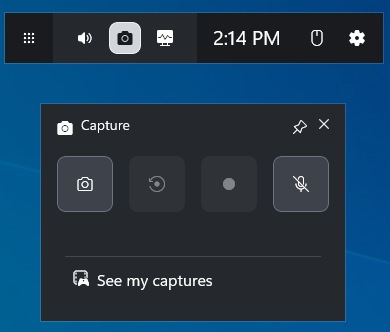
Xbox Game Bar can record both game audio and microphone commentary simultaneously, or capture game audio only. I can also adjust the audio quality, audio volume, frame rate, and video quality in the Settings app.
However, Xbox Game Bar records up to four hours. I need to start again manually if my recording is not finished. And the tool cannot record the desktop and File Explorer.
4. Microsoft Clipchamp
Microsoft provides a range of integrated tools to meet the diverse needs of users. As for screen recording, the system offers another tool in Microsoft Clipchamp, which is the official video editor. It’s capable of recording the screen and a camera simultaneously to create picture-in-picture videos, recording them separately, and capturing audio from the microphone only.
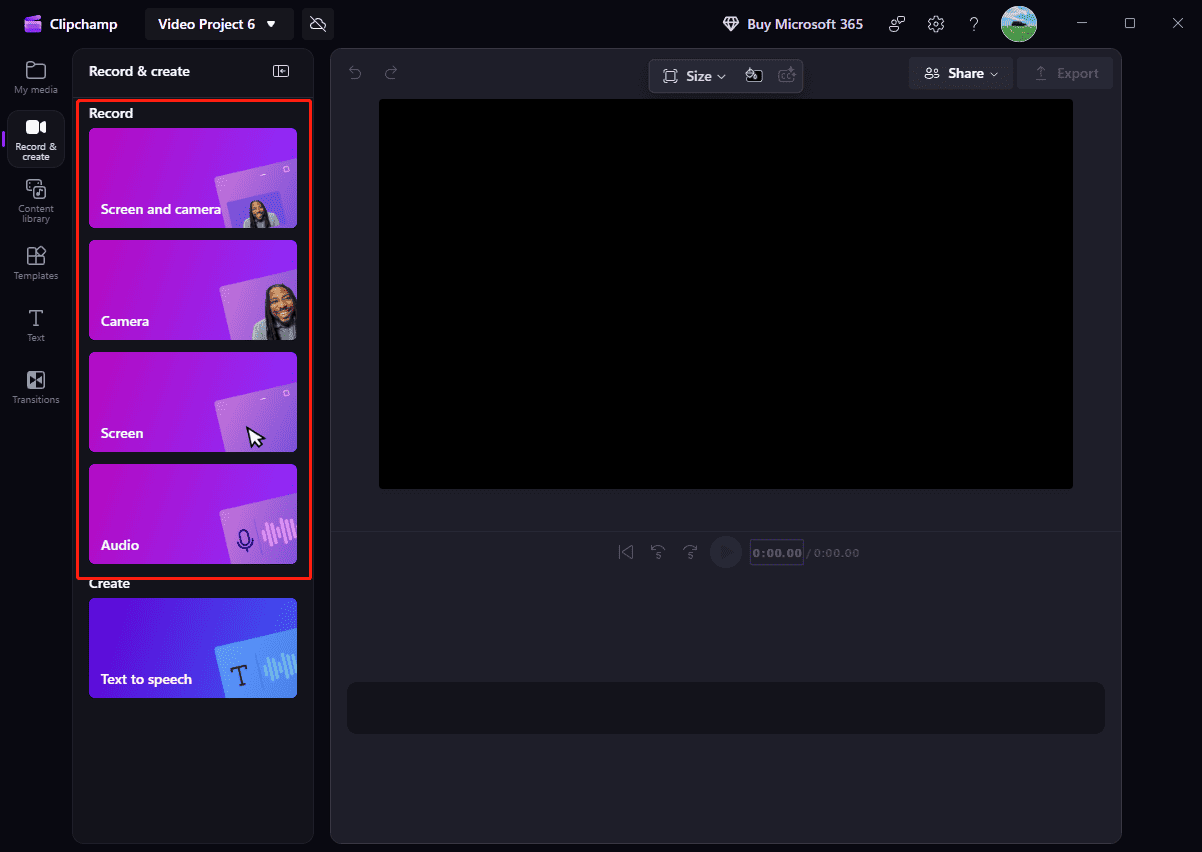
This CamStudio alternative doesn’t offer essential settings to control the recording and let me choose a specific area to record. It heavily relies on the internet connection. If you’re experiencing an unstable network, it may take some time to launch the program, access the main interface, or perform other actions.
After stopping a recording, I can then edit it within the software, such as removing unwanted parts and adding text or shapes to highlight information. Finally, I can export the video up to 1080P resolution for free.
5. Bandicam
Bandicam is a user-friendly and lightweight screen recorder for low-end PCs, and it’s also widely considered a great replacement for CamStudio. Known for its multiple recording modes, Bandicam supports capturing computer screens, recording various games, and saving videos from external video devices to the desktop.
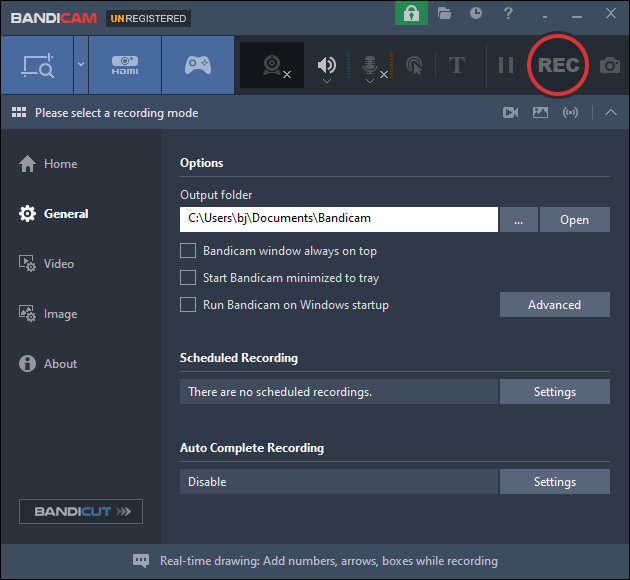
Additionally, Bandicam gives me options to add text overlay and mouse cursor effects, helping me create professional tutorials. It also provides multiple settings to control the video quality and size, such as screen size, frame rate, codec, and audio bitrate.
Bandicam offers a free version with limitations: every single recording is capped at 10 minutes, a watermark is added to the output, and scheduled recording is not available.
6. OBS Studio
OBS Studio is a free, powerful alternative to CamStudio, offering better performance, comprehensive features, and frequent updates. While CamStudio is a simple screen recorder, OBS is a professional-grade recording tool ideal for creating complex and high-quality videos.
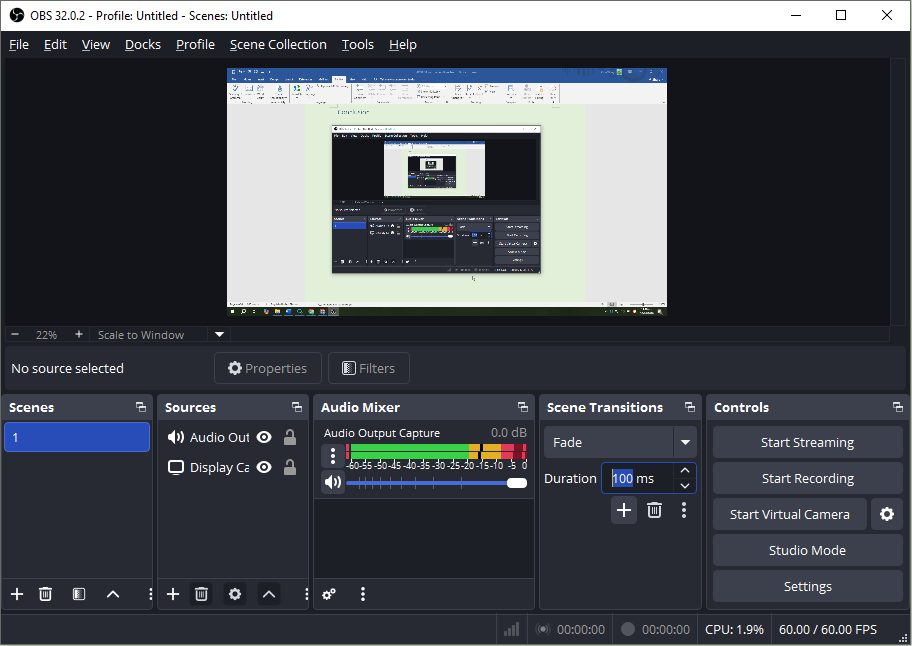
OBS allows for multiple scenes, allowing me to easily layer and arrange screen captures, webcam inputs, application windows, gameplay, video capture cards, and more. The software also features a powerful audio mixer to manage and monitor sound resources, and it provides audio filters, such as noise suppression, for better quality.
Furthermore, OBS offers highly customizable recording settings, such as format, video encoder, frame rate, and bitrate, allowing me to optimize for quality, performance, or file size. However, its interface is not as easy to navigate as CamStudio’s design, especially for beginners.
Conclusion
CamStudio was a pioneer in the early days of screen recording, and it is still available today. If you’re seeking a modern CamStudio alternative, the above six programs won’t let you down.
Finally, if you have any problems while using MiniTool Screen Recorder, please contact us at support@minitool.com for help.