

This article explains whether recording DMs on Instagram is legal. So, can you screen record Instagram DMs on PC? Of course! However, Instagram doesn’t have a built-in recorder. Therefore, this post introduces a practical screen recorder: MiniTool Screen Recorder.
What Are Instagram DMs
Instagram is a popular social media platform. Many people are enthusiastic about using its DM feature to share their lives and obtain information from others.
About the Instagram DM Feature
Instagram DMs are an in-app message feature. It allows you to communicate freely with other users within the software. Instagram DM supports sharing text, photos, videos, audio, posts, and reels with others. It also enables you to upload files from your local computer. In short, Instagram DM helps people communicate more directly.
How to Send Instagram DMs
Using the Instagram DM feature helps you quickly communicate with others. Below is how to send a message on PC.
Step 1. Access the Instagram Official Webpage
Go to https://www.instagram.com/ to open the Instagram webpage and log in to it.
Step 2. Navigate to DM Feature
Click the Messages tab to open the contact list.
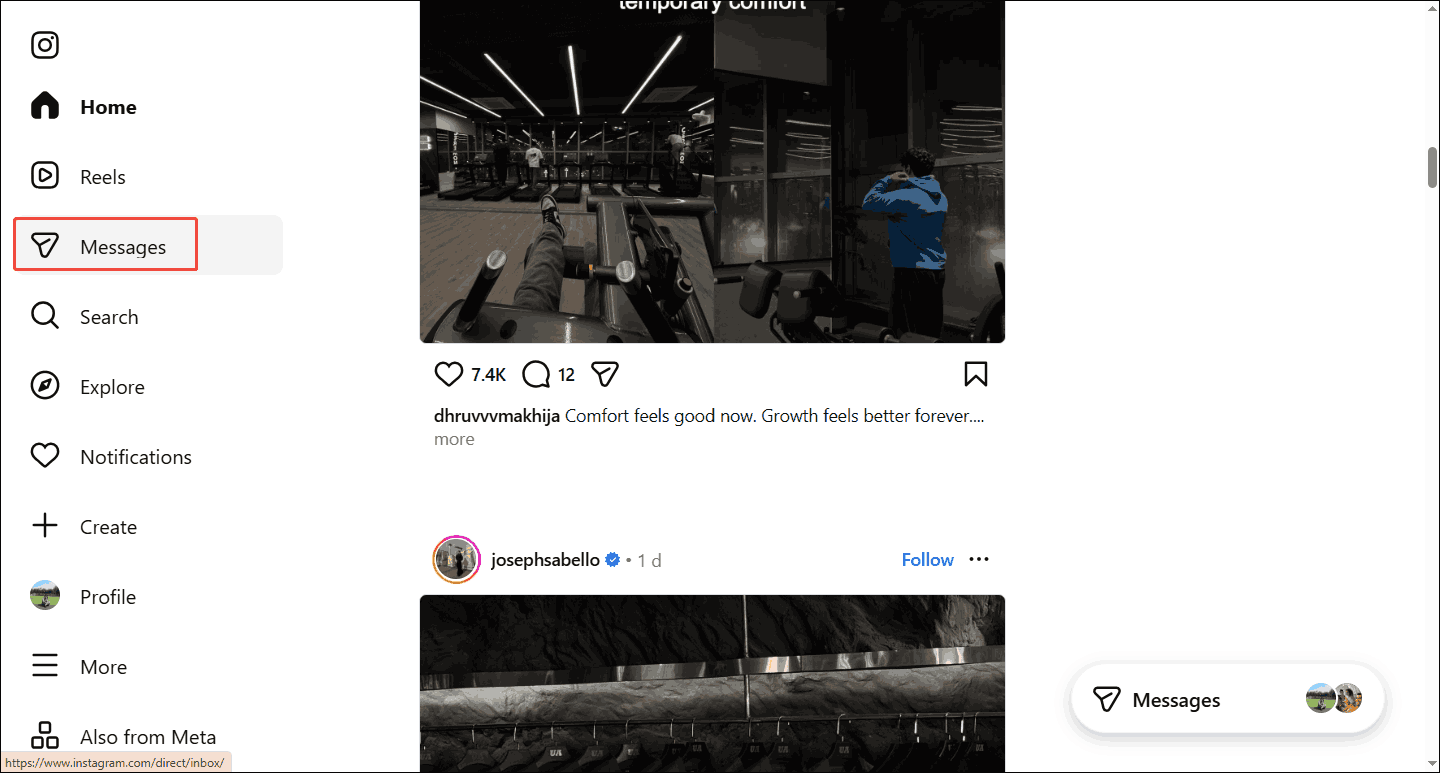
Step 3. Send a Message to Others
Click on the contact you want to communicate with in the left contact list. Your chat page will appear on the right. Next, you can enter texts and attach videos or audio at the bottom of the field. Then, click on the Airplane icon to send the message to him.
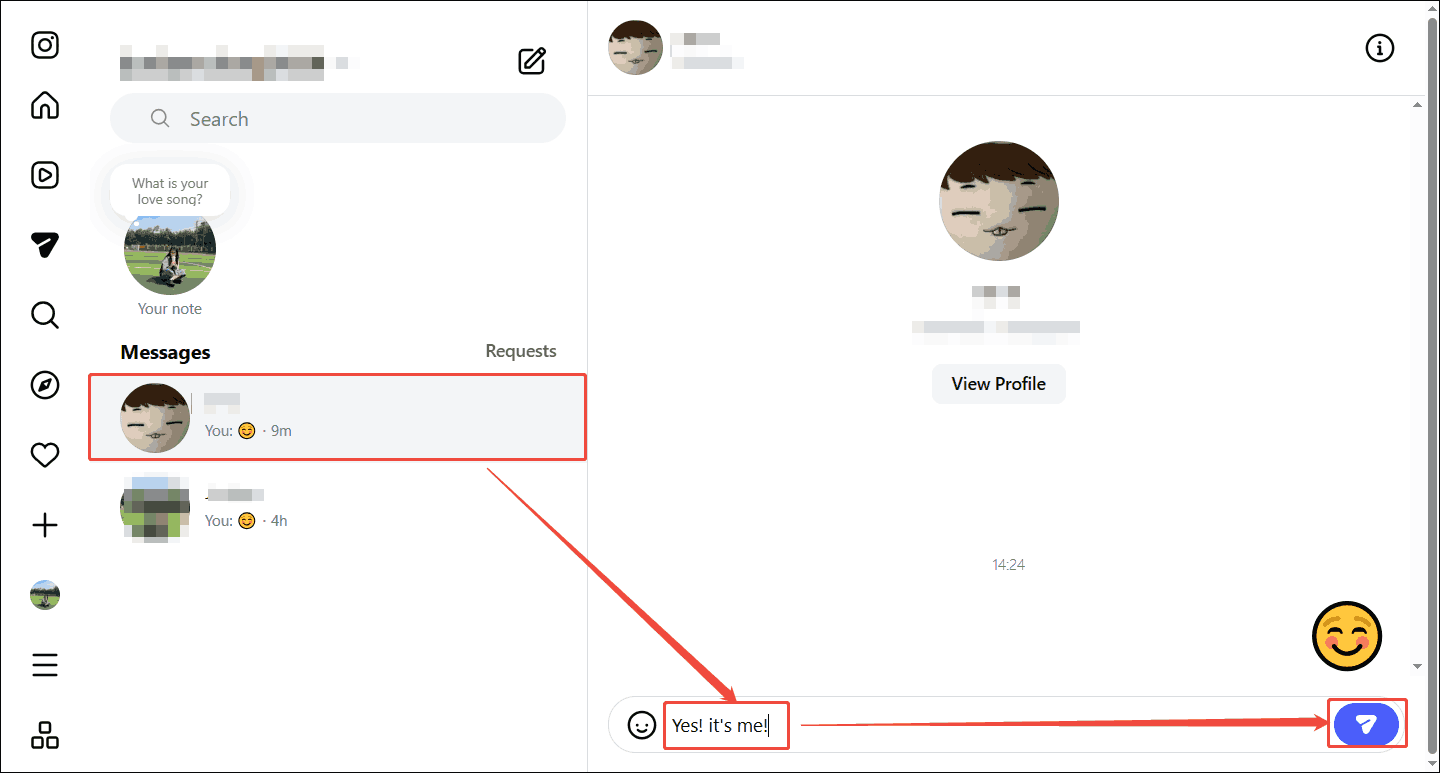
Sending a message in the Instagram DM feature to others is a simple and direct way to communicate.
Can You Record Instagram DMs
Can you record Instagram DMs? Absolutely! While Instagram itself doesn’t have a built-in screen recording feature, you can use third-party applications to record DMs. Is it illegal to record Instagram DMs? Yes, it's legal in most cases. You can use the recordings as legal evidence, personal record-keeping agreed by the other party, and more.
It's important to note that different types of DM content can affect your recording. Regular chats, voice messages, or video messages usually can be recorded. However, if you record any content that has viewing permissions or is in self-destructing mode, the platform will send a notification to the sender or directly black out your screen recording.
Why Record Instagram DMs
People record Instagrams for various reasons. Here are 3 common reasons you may want to know.
Prevent Information Loss
A common reason for recording DMs is that they may contain a variety of chat logs with family and friends or important messages from commercial clients. While Instagram doesn’t have a limit on direct message storage, excessive message volume may affect other data on Instagram, potentially causing malfunctions and automatically deleting message records.
Worse still, the deleted messages may be unrecoverable, potentially resulting in irreparable damage. Therefore, recording DMs is an effective way to save and protect important conversations.
Record Evidence
Another reason for recording Instagram DMs is that it can preserve evidence to protect personal privacy and security. When encountering harassment, fraud, or malicious accusations on Instagram, DMs recording completely displays the timeline of events, smoothly plays video and audio in the DM, and shows the cause and effect of the incident. Therefore, we can get a stronger case by mastering this evidence.
Share and Transmit
Additionally, users can record interesting interactive conversations, videos, or voice messages and share them with other people or platforms outside of Instagram, which may increase their online influence.
How to Screen Record Instagram DMs
Want an Instagram DMs recorder? Try MiniTool Screen Recorder! It is a practical screen recorder that supports recording Instagram DMs. Apart from using full-screen recording, MiniTool Screen Recorder also lets you record a selected region, allowing you to record only the chat interface. In addition, it empowers you to record dual audio, which means you can record a voiceover while recording system audio in DMs.
MiniTool Screen Recorder enables you to record videos at resolutions up 4K. What’s more, it also provides customizable settings, such as video frame rate, video quality, and hotkeys. To improve your time utilization, MiniTool Screen Recorder enables you to preset recording durations. Moreover, it also supports recording the webcam, allowing you to record a PiP effect.
Below is the step-by-step tutorial on how to record DMs on Instagram as long as you want with MiniTool Screen Recorder.
Step 1. Download and Set Up MiniTool Screen Recorder
Click on the download button below to download and install MiniTool Screen Recorder. Then, launch it and log in to your account here.
MiniTool Screen RecorderClick to Download100%Clean & Safe
Step 2. Choose the Recording Pattern
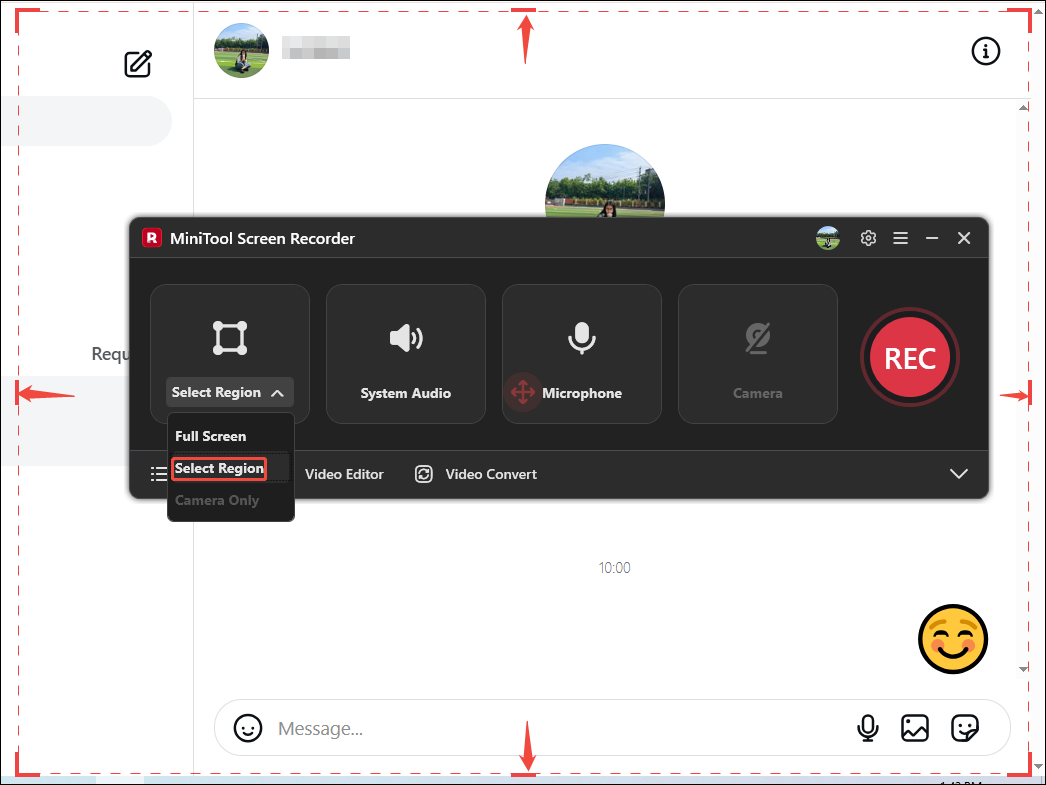
Expand the screen recording type drop-down list and then select a type. Here, I pick the Select Region option. Then, drag the red border to ensure the DM interface is selected.
Step 3. Control the Audio
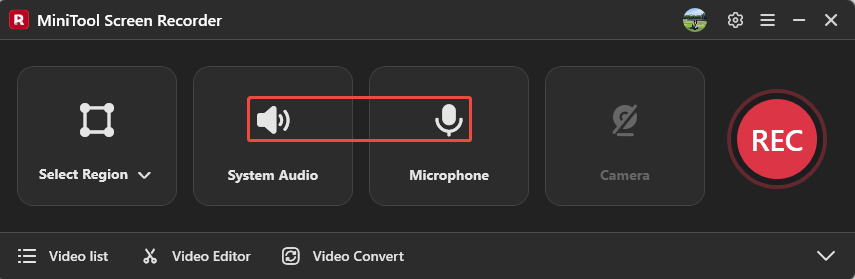
Click on the System Audio icon and the Microphone icon to decide whether to record the computer sound and voiceover separately or simultaneously.
Step 4. Set a Storage Location
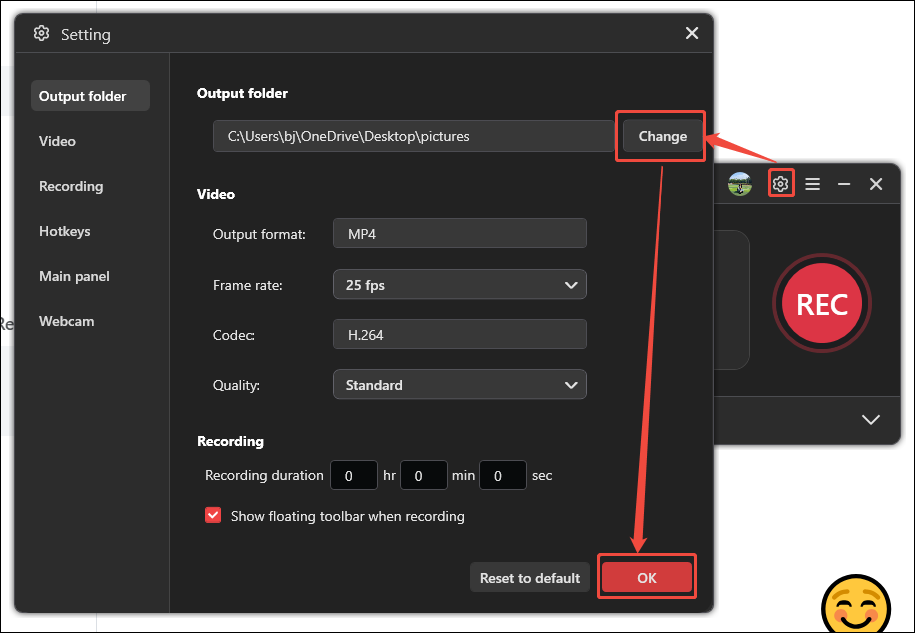
Click the Gear icon in the upper right corner of the main interface to open the Settings window. Here, click on the Change button to confirm a storage location for the recorded Instagram DMs. Then, click the OK button to save your changes.
Step 5. Start Capturing
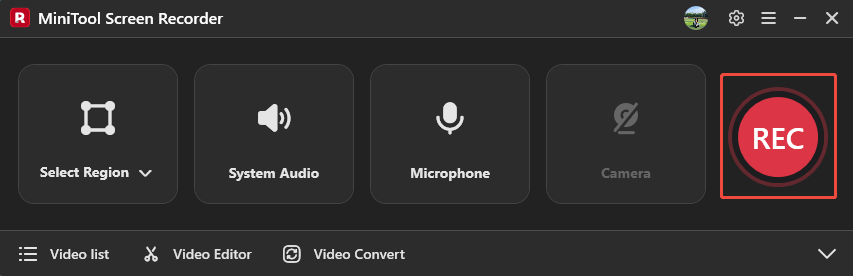
After setting the saving path, this screen recorder will go back to the main interface. Then, click on the REC button to start recording after a 3-second countdown. Then, open the target DM interface on Instagram.
Step 6. Stop the Recording
If you want to pause or resume this recording, press F9. To end this recording, press the F6 key.
Step 7. Check the Recorded Video
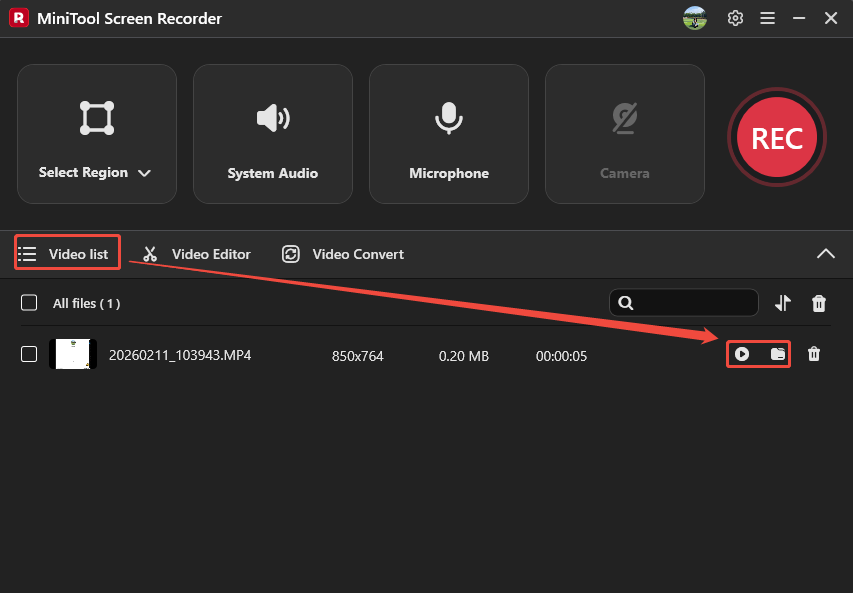
Once the recording finishes, click on the Play icon or the Folder icon under the Video list tab to check or locate the recorded video.
Recording Instagram DMs with MiniTool Screen Recorder is an ideal choice. MiniTool Screen Recorder supports professional recording without ads, watermarks, or time limits.
Wrap Things Up
So, can you screen record Instagram DMs? In most cases, yes. This article shares a simple and effective solution: using MiniTool Screen Recorder. It allows you to record Instagram DMs without a time limit. Thank you for your reading.
If you have any questions or suggestions about MiniTool Screen Recorder, please send an email to support@minitool.com. Or you can text a message to me on X. I will reply to you as soon as possible.